

Best Cross Platform App Development Frameworks: Top 5 for 2026
Choosing the best cross platform app development frameworks is no longer just a “developer preference” decision. In 2026, it affects your time-to-market, hiring plan, app performance, store compliance, and how quickly you can iterate on AI-powered features like smart search, in-app copilots, and personalized onboarding.
The problem: most lists are either too broad (10-15+ frameworks with little guidance) or too biased toward a single ecosystem. What most founders and product teams actually need is a short, practical shortlist that answers: Which framework should we invest in for our product and team?
This guide gives you exactly that.
- Top 5 shortlist (what’s still worth betting on) - Quick comparison table to decide fast - Decision checklist based on real delivery constraints (team skills, UI complexity, performance, offline, integrations) - Common mistakes that make cross-platform projects feel slow or buggy and how to avoid them
If you’re evaluating builds for an MVP or scaling an existing app, this will help you pick a framework with fewer regrets.
Get Started Learn More View PortfolioWhat is a cross-platform app development framework? (cross-platform mobile app development frameworks)
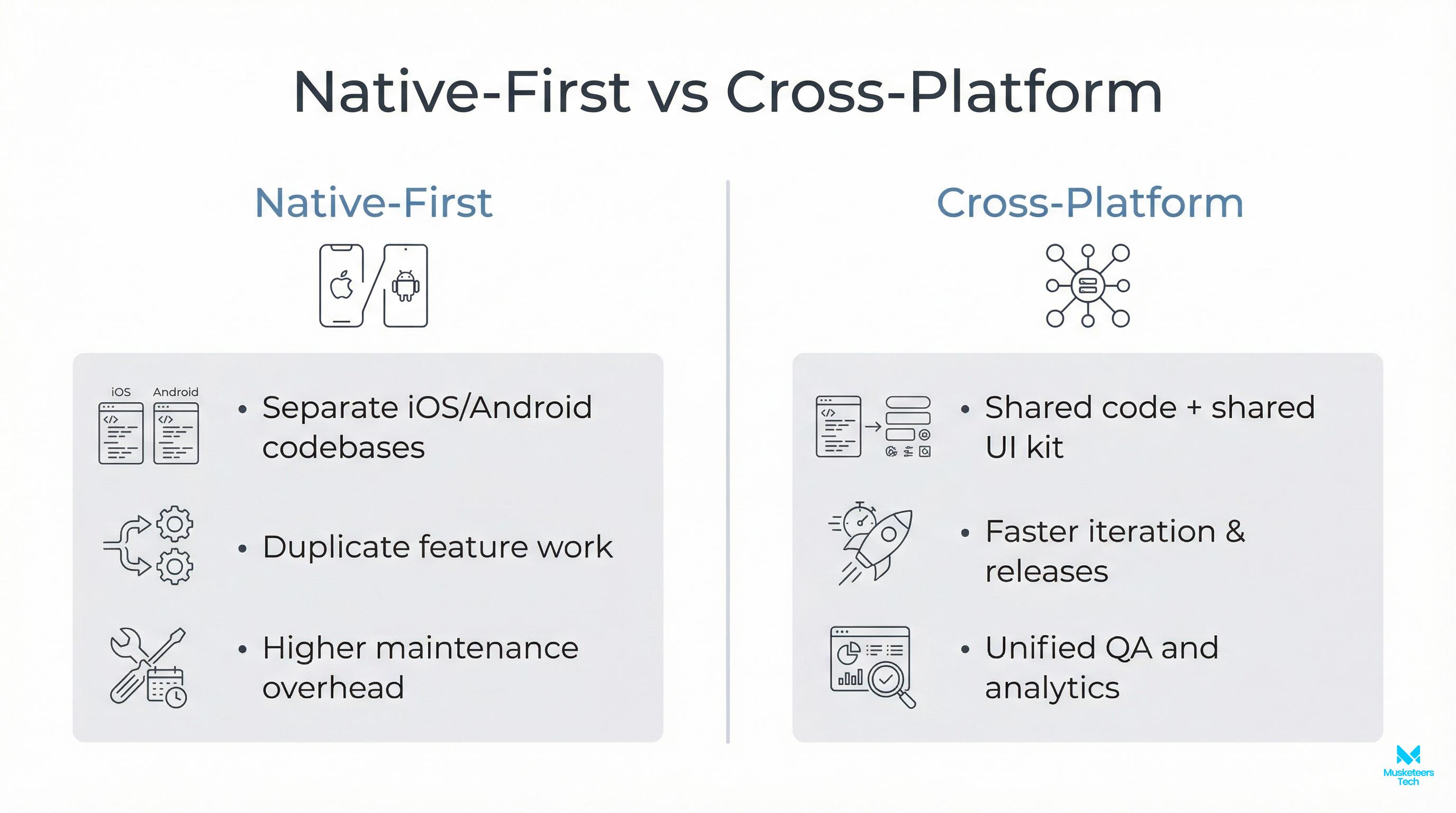
A cross-platform app development framework is a toolset that lets you build apps for multiple platforms-typically iOS and Android, sometimes web and desktop-while sharing a significant portion of the codebase.
Instead of maintaining two separate native apps (Swift/Objective-C for iOS and Kotlin/Java for Android), a cross-platform approach aims to:
- Reuse code (UI, business logic, or both)
- Reduce duplicated work across platforms
- Ship faster with fewer engineers
- Keep features consistent between iOS and Android
There are two common approaches frameworks take:
-
Shared UI + shared logic
You write UI once and render it across platforms (e.g., Flutter). This can speed up UI development but may require platform-specific work for deep integrations. -
Shared logic + native UI
You share core logic but keep UI native per platform (e.g., Kotlin Multiplatform). This can be great for performance and native feel, but UI work is still split.
Cross-platform is a strong fit when you want speed and consistency, but it’s not magic. Some apps still benefit from native-first development. We’ll cover the tradeoffs next.
Why cross-platform mobile development matters (benefits + tradeoffs)
For most startups and product teams, cross-platform mobile development is about one thing: leverage. You’re trying to create more product output (features, iterations, experiments) per dollar and per engineer.
The biggest benefits
- Faster MVP delivery: One team can ship both iOS and Android without duplicating everything. - Lower maintenance overhead: Shared code means fewer bug fixes to repeat. - Feature parity: It’s easier to keep platforms aligned when most logic is shared. - Hiring flexibility: You can build around a smaller set of skills (depending on framework).
The tradeoffs you must plan for
Plan for these tradeoffs
- Platform-specific edges still exist: camera pipelines, Bluetooth, background tasks, payment flows, and OS-level permission changes can be more complex than expected. - Performance varies by framework: some are near-native; others can struggle with heavy animations, complex lists, or real-time rendering. - App size and build complexity: especially when you add multiple plugins, analytics SDKs, and AI features. - Long-term maintainability: cross-platform projects fail most often due to architecture choices and plugin debt not the framework itself.
If your app is UI-heavy, needs frequent iteration, and you want one product team moving quickly, cross-platform is often a great bet.
Quick comparison: Top 5 frameworks (table)
The table below summarizes what matters most when choosing: performance, UI approach, platform coverage, ecosystem maturity, and “best fit” scenarios.
| Framework | Best for | Primary language | UI approach | Performance profile | Web/Desktop | “Watch out for” |
|---|---|---|---|---|---|---|
| Flutter | High-quality UI, consistent design systems, fast iteration | Dart | Custom-rendered UI | Strong (close to native for most apps) | Web + Desktop supported | App size + plugin quality varies |
| React Native | Teams strong in JS/TS, fast product iteration, lots of SDKs | JS/TS | Native UI components | Good, can degrade with poor bridging patterns | Web via RN Web (varies) | Performance tuning + native module edges |
| Kotlin Multiplatform (KMP) | Sharing core logic in serious apps while keeping native UI | Kotlin | Native UI per platform (typical) | Excellent (native UI) | Depends on targets | Two UIs to maintain (iOS + Android) |
| Ionic + Capacitor | Web-first teams, internal tools, content-heavy apps | JS/TS | WebView-based | Moderate; best for lighter apps | Web-first by nature | Not ideal for graphics-heavy apps |
| .NET MAUI | Microsoft ecosystem, enterprise apps, C# teams | C# | Cross-platform UI | Good; depends on app type | Desktop strong | UI/platform quirks + ecosystem differences |
Now let’s break down each one: what it’s great at, when to choose it, and when not to.
#1 Flutter (flutter sdk)
Flutter remains one of the most popular choices for cross-platform mobile development because it gives you control over UI. Instead of relying on platform UI widgets, Flutter renders its own UI, which makes it easier to achieve consistent design across iOS and Android.
Best fit when
- Your product relies on a polished UI (consumer apps, marketplaces, fintech, wellness)
- You need rapid UI iteration with strong consistency
- You want one team to deliver iOS + Android (and possibly web/desktop later)
Strengths
- Excellent UI velocity: Build complex layouts without fighting platform differences.
- Predictable rendering: Fewer “it looks different on iOS” surprises.
- Strong tooling and community, with lots of production apps in the wild.
Things to plan for
- App size: Flutter apps can be larger than minimal native apps, especially early on.
- Plugin due diligence: Some plugins are great; others are lightly maintained. Standardize and avoid excessive dependency sprawl.
If your roadmap includes sophisticated UI, onboarding, animations, or brand-driven design, Flutter is often the safest bet the product option.
Official docs
- Flutter documentation: https://docs.flutter.dev/
#2 React Native (react native expo)
React Native is still a top pick, especially for teams that already ship web apps in JavaScript/TypeScript. Its key advantage is ecosystem: analytics SDKs, marketing tools, payment providers, customer support SDKs, and A/B testing libraries are often easiest to integrate in a JS-first environment.
Best fit when
- Your team is strong in TypeScript/React
- You need fast iteration and access to a wide ecosystem of libraries
- You want to ship quickly and evolve into a hybrid setup with some native modules later
React Native + Expo is a common modern pairing because Expo streamlines:
- local dev setup
- builds and over-the-air updates (when appropriate)
- common device APIs (camera, push, location)
Strengths
- Native UI components (so it can feel native when done well)
- Very large talent pool
- Strong integration story for product analytics and growth tooling
Risks and common pitfalls
Avoid these RN pitfalls
- Performance issues typically come from architecture, not React Native itself: too much work on the JS thread, chatty bridges, heavy lists without virtualization, or unoptimized animations. - You may still need native work for complex device features (which is normal).
If you’re building a product that must iterate weekly, depends heavily on third-party SDKs, and your team is already “React-native-ish,” React Native is a strong choice.
Official docs
- React Native documentation: https://reactnative.dev/docs/getting-started
#3 Kotlin Multiplatform (KMP)
Kotlin Multiplatform (often shortened to KMP) is different from Flutter and React Native. It’s not primarily a “write UI once” framework. Instead, it’s about sharing business logic: networking, data models, validation rules, offline sync, auth flows, while keeping UI native for iOS and Android.
Best fit when
- You want a truly native UI experience on both platforms
- You have complex domain logic that you don’t want duplicated
- You expect the app to live for years (long-term maintainability matters)
Strengths
- Native performance where it matters most (UI stays native)
- Shared logic reduces duplication while preserving platform UX best practices
- Great for apps with significant offline logic, caching, or complex state handling
Tradeoffs
- You are still building two UIs (one for iOS and one for Android), so it’s not one team ships everything unless your team is structured for it.
- The biggest win is in reducing duplication for core logic, not UI.
If you’re building a serious mobile product (fintech, healthcare, logistics) and you care about native UX but want to reduce long-term cost, KMP can be a high-quality strategic choice.
#4 Ionic + Capacitor (ionic app development)
Ionic is a strong option when your product is essentially a web app that also needs to be distributed through app stores, or when you’re building internal tools and want maximum speed with a web-first team.
Ionic commonly uses Capacitor to access native device functionality (camera, push notifications, storage), wrapping a web app inside a native container.
Best fit when
- Your team is web-first and needs mobile distribution quickly
- The app is content-heavy or form-driven (dashboards, portals, internal ops apps)
- You want one codebase that naturally supports web + mobile
Strengths
- Fastest path from web UI to “mobile app”
- Uses standard web skills (HTML/CSS/JS)
- Strong for internal tools and lighter consumer experiences
Limitations
- Because it’s WebView-based, heavy animations, complex gesture-driven UIs, or high-performance graphics can feel less smooth than native-first approaches.
- You need to be realistic about performance expectations.
If the goal is speed and your app is closer to a “mobile web experience,” Ionic can be very cost-effective.
#5 .NET MAUI
.NET MAUI (Multi-platform App UI) is the modern successor in the Microsoft cross-platform story, and it’s most compelling when you already live in the Microsoft ecosystem.
Best fit when
- Your org uses C#/.NET heavily
- You need enterprise features (security, device management patterns, internal distribution)
- Desktop targets matter (Windows/macOS) in addition to mobile
Strengths
- Strong fit for Microsoft-stack enterprises
- Shared code and consistent patterns for teams that already use .NET
- Good desktop story compared to many mobile-first frameworks
Tradeoffs
- Like any cross-platform UI framework, there can be platform-specific quirks and lifecycle edges.
- The ecosystem and community differ from JS and Flutter; your team’s existing skills matter a lot.
If you already have a C# team and you’re building enterprise-grade apps, MAUI can be the most efficient route.
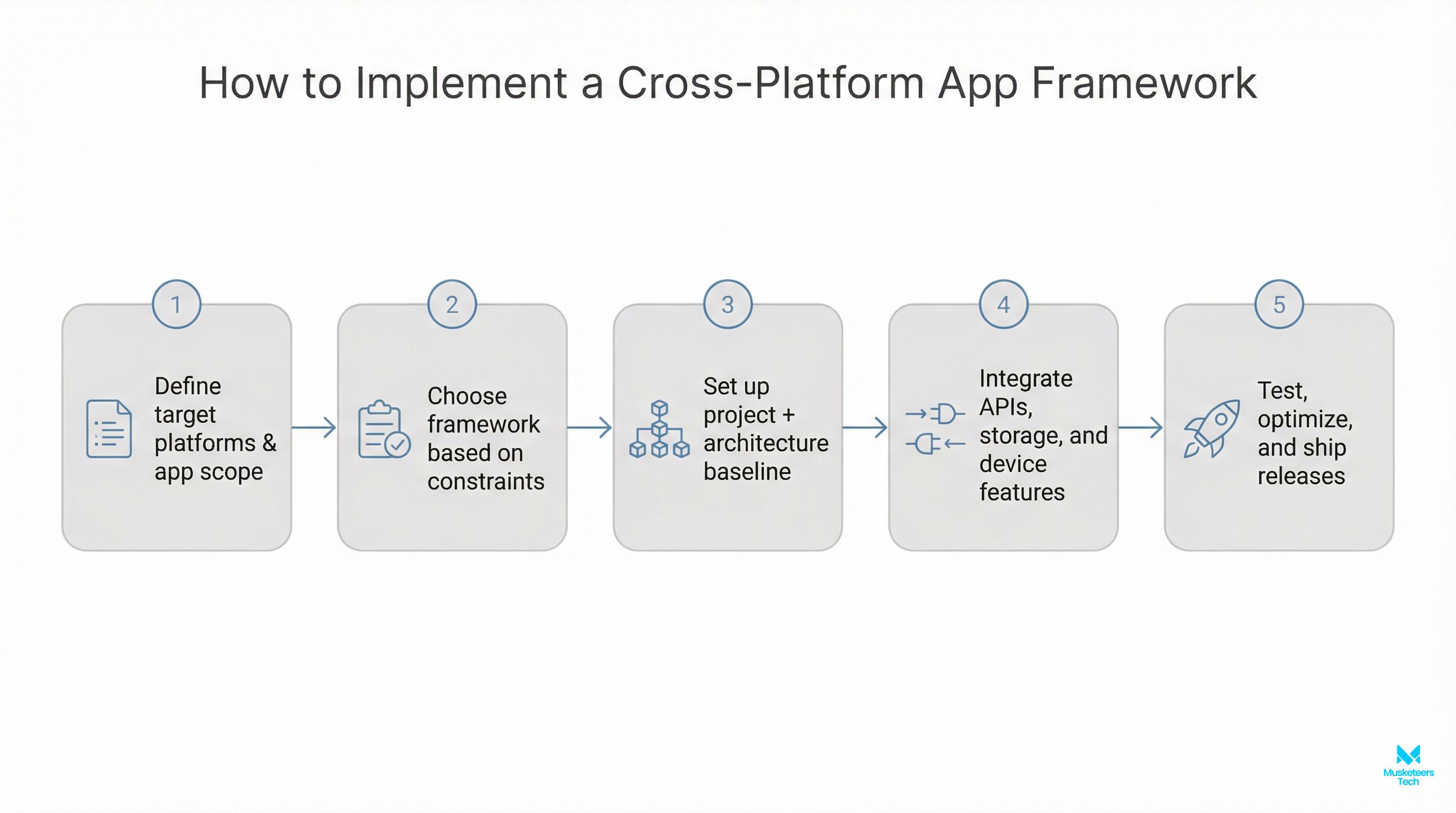
How to choose: a practical decision checklist (with scenarios)
Most “framework debates” miss the point. The best framework is the one that minimizes your risk given:
- your team’s strengths,
- your product’s UI and performance needs,
- your integrations and timeline,
- and how long you plan to maintain the app.
Step 1: Define what you’re sharing (UI, logic, or both)
- Want shared UI to move fast with one team? Lean toward Flutter or React Native.
- Want native UI but shared domain logic? Consider Kotlin Multiplatform.
Step 2: Map your app’s “hard parts”
Ask these early, not after you’re committed:
- Do we need offline-first sync?
- Are we doing heavy lists, real-time updates, maps, or complex gestures?
- Are we using Bluetooth, background location, or deep OS integrations?
- Do we need best-in-class accessibility and platform conventions?
Heavy device integrations don’t rule out cross-platform, but they increase the value of strong architecture and native capability.
Step 3: Choose based on your most likely constraint
- Startup MVP, high design standards, one team -> Flutter
- Web team, TypeScript everywhere, lots of SDKs -> React Native (+Expo)
- Enterprise mobile with native UX and complex logic -> Kotlin Multiplatform
- Internal tools / portals / web-first product -> Ionic + Capacitor
- Microsoft ecosystem + desktop matters -> .NET MAUI
Step 4: Plan for the “last 20%”
The last 20% of app delivery is usually:
- app store compliance edge cases
- permission flows
- push notifications across vendors
- crash reporting and analytics sanity
- performance tuning and cold start time
- release pipelines (signing, provisioning, CI)
Framework choice affects these, but your engineering maturity affects them even more.
If you want a broader platform view, see our comparison of mobile app development platforms.
Best practices & common mistakes (2026-ready)
Cross-platform apps don’t fail because “cross-platform is bad.” They fail because teams underestimate architecture and platform reality.
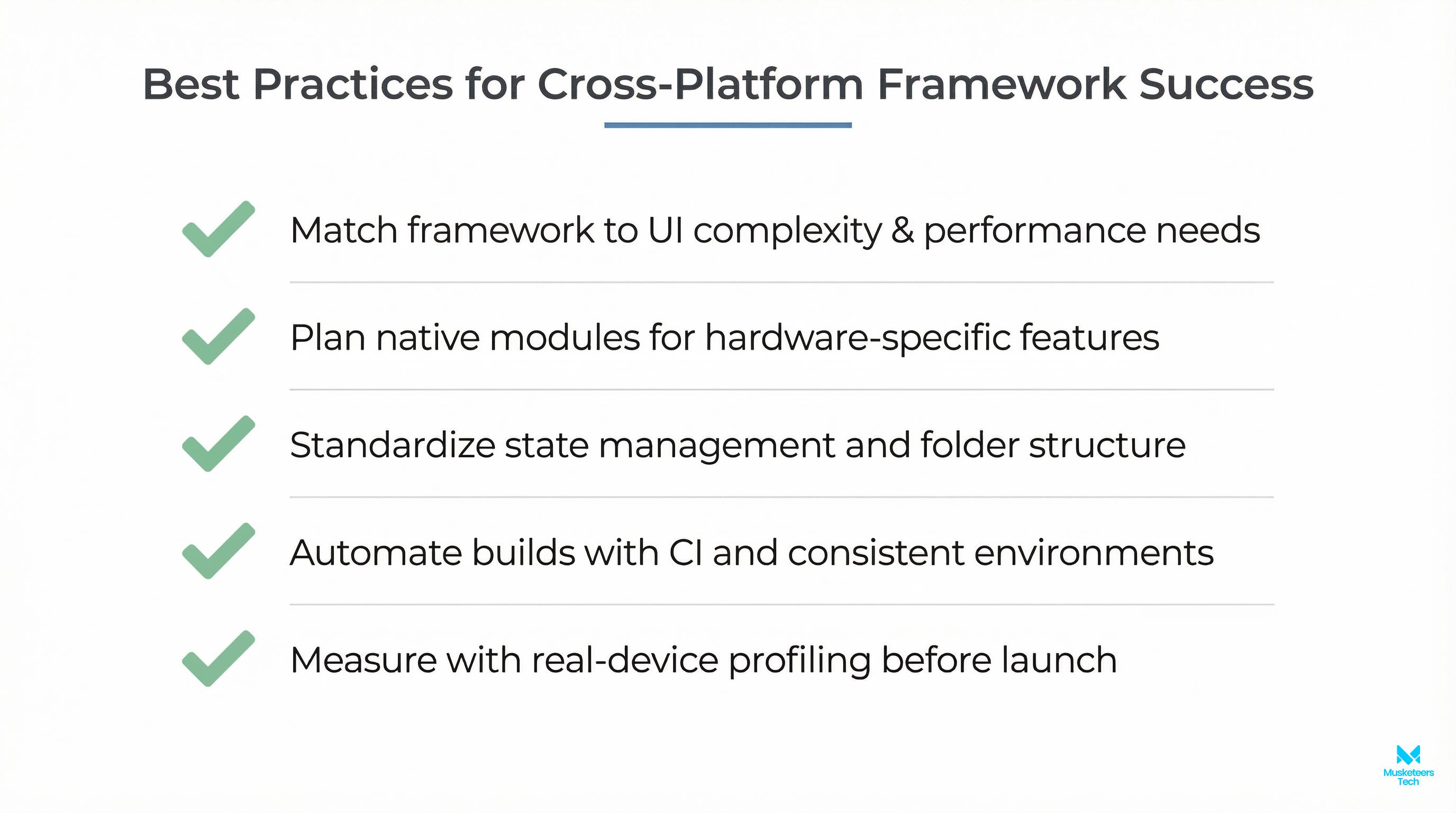
Best practices
- Adopt a boring, testable architecture early: Clear separation (UI -> state management -> domain logic -> data layer). Treat plugins and SDKs as “edge adapters” you can replace.
- Keep dependencies intentional: Every plugin is a long-term maintenance choice. Prefer well-maintained libraries with active communities and recent releases.
- Budget time for performance and UX parity: Measure cold start, scroll FPS, animation jank, memory, and battery. Validate accessibility (labels, focus order, dynamic text sizing).
- Invest in CI/CD from week one: Deterministic builds, automated tests and linting, reproducible release signing.
- Design with platform conventions in mind: Even shared UI should respect platform expectations (navigation patterns, back behavior, permission timing).
Common mistakes to avoid
- Forcing one UI to feel identical everywhere when platform conventions matter
- Ignoring native expertise entirely (you still need it sometimes) - Overusing third-party plugins without verifying maintenance and performance - Skipping a clear offline/data sync strategy (especially for B2B apps) - Treating QA as an afterthought (device diversity is real)
Tools & platforms that accelerate delivery
Frameworks are only one part of the stack. These supporting tools reduce risk and speed iteration:
- CI/CD: GitHub Actions, Bitrise, Codemagic (automated builds, signing, store deployments)
- Crash and performance monitoring: Firebase Crashlytics, Sentry
- Analytics and experimentation: product analytics + feature flagging (choose based on your privacy needs)
- Backend options: a lightweight API + managed auth, or a scalable microservice approach depending on your roadmap
- Testing: unit tests for domain logic, integration tests for flows, and device lab testing for key devices
How Musketeers Tech Can Help
If you’re picking between Flutter, React Native, Kotlin Multiplatform, Ionic, or .NET MAUI, the biggest win is choosing a framework that matches your product constraints, and then executing with the right architecture so you don’t get stuck in “plugin debt” or performance issues three months in.
At Musketeers Tech, we help teams:
- Validate the right cross-platform stack for your MVP or scale phase
- Design a maintainable architecture (state management, offline strategy, API contracts)
- Build and ship production apps with CI/CD, analytics, and store-ready compliance
- Extend your app with modern capabilities like personalization and AI-assisted workflows when it makes business sense
This is especially valuable if you’re building under tight deadlines, or if you need to align engineering choices with product strategy and hiring plans.
Learn more about our MVP Development Services or see how we helped clients with similar challenges in our portfolio.
Get Started MVP Development Services View PortfolioFrequently Asked Questions (FAQs)
Invest in the framework that best matches your constraints: team skills, UI complexity, performance needs, and the level of native integration. For many MVPs, Flutter or React Native is a strong investment; for long-lived native UX apps, Kotlin Multiplatform can be a strategic choice.
Final Thoughts
There’s no single winner for every product, but there are clear winners for specific scenarios. If you want the fastest path to a polished, consistent UI with one team, Flutter is hard to beat. If your organization is already deep in TypeScript and needs rapid iteration with broad SDK support, React Native remains a top contender. If you care about long-term native UX while avoiding duplicated business logic, Kotlin Multiplatform is a high-quality strategic path. For web-first and internal tools, Ionic + Capacitor can be the most cost-effective route, and for Microsoft-heavy enterprises, .NET MAUI can be the most natural fit.
The real goal is not just picking a framework. It’s picking a framework you can execute well with your team, your timeline, and your future roadmap.
Need help choosing or building with these frameworks? Check out our MVP development services or explore our recent projects.
Talk to an Expert Read MoreLast updated: 03 Feb, 2026

