





- 04 Feb, 2026
- Application Development
- Product Strategy
- By Musketeers Tech
9 Essential Mobile App Development Tips for Creating a Successful App
Building an app is easy to start and surprisingly hard to finish well. The difference between an app that ships and an app that succeeds is usually decisions made before the first sprint: clarity on the user problem, platform choices, UX priorities, and how you’ll measure real outcomes.
This guide covers mobile app development tips that reduce cost and risk while improving your odds of retention, revenue, and positive reviews. Instead of generic advice, each tip includes what to produce (a deliverable you can hand to your team) and what to measure (a signal you’re on track).
Whether you’re a founder preparing an MVP, a PM improving an existing product, or a business owner modernizing operations, these nine tips will help you build with confidence and avoid rework that often appears late in QA or after launch.
What is mobile app development? (and what “success” really means)
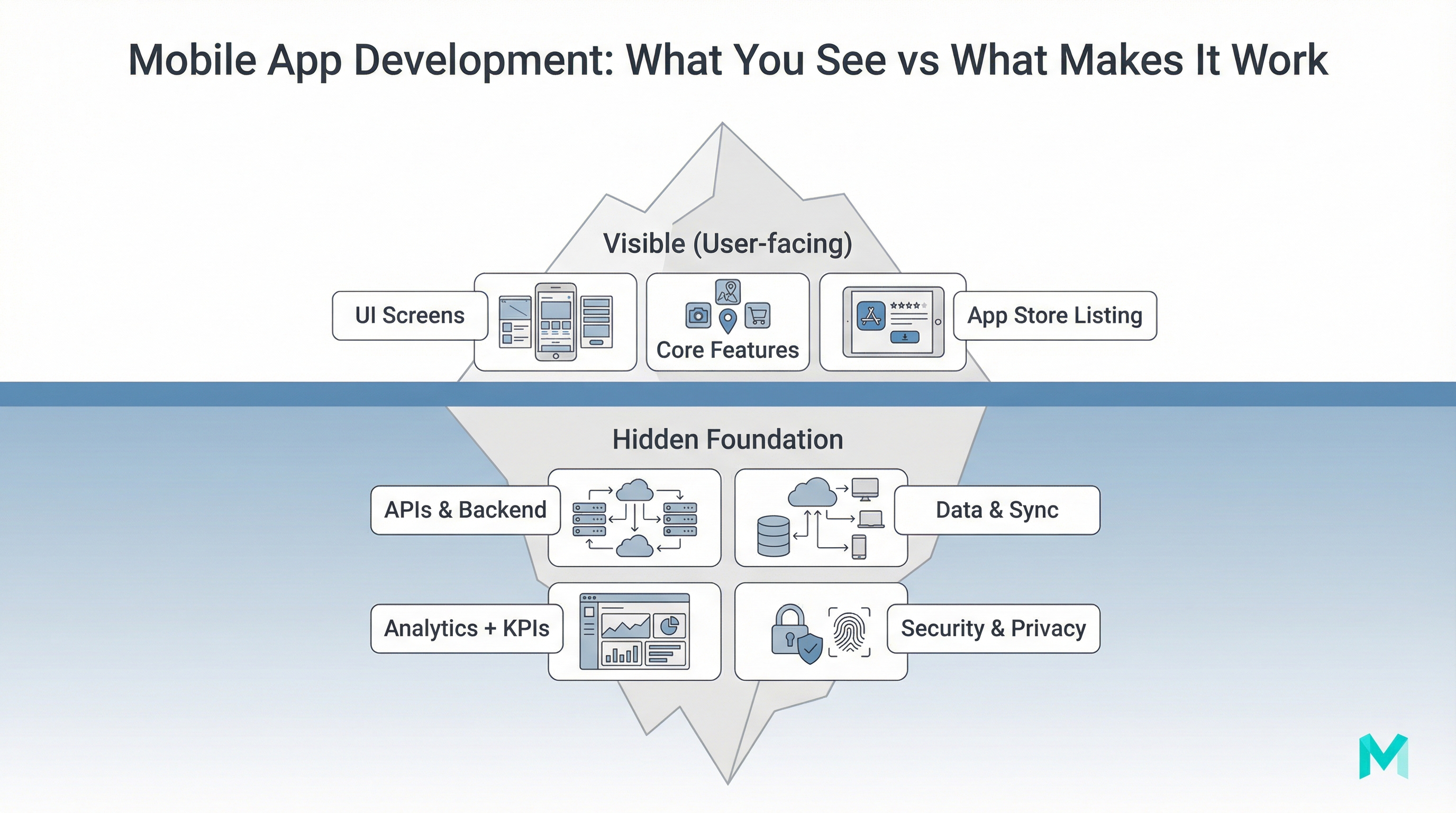
Mobile app development is the process of planning, designing, building, testing, deploying, and improving a software application for mobile devices (iOS, Android, or both). In practice, it’s not just coding screens, it’s building a product system: UI, backend APIs, data storage, authentication, analytics, performance, and release workflows.
Success also isn’t “we launched.” For most teams, success looks more like:
- Users complete the core action (activation), not just install.
- The app stays stable (crash-free sessions and fast load times).
- You can measure and improve behavior (analytics + experiments).
- Your roadmap reflects real feedback and retention signals.
If you want a solid baseline for execution cadence, Agile helps teams ship value in smaller increments: what is Agile software development.
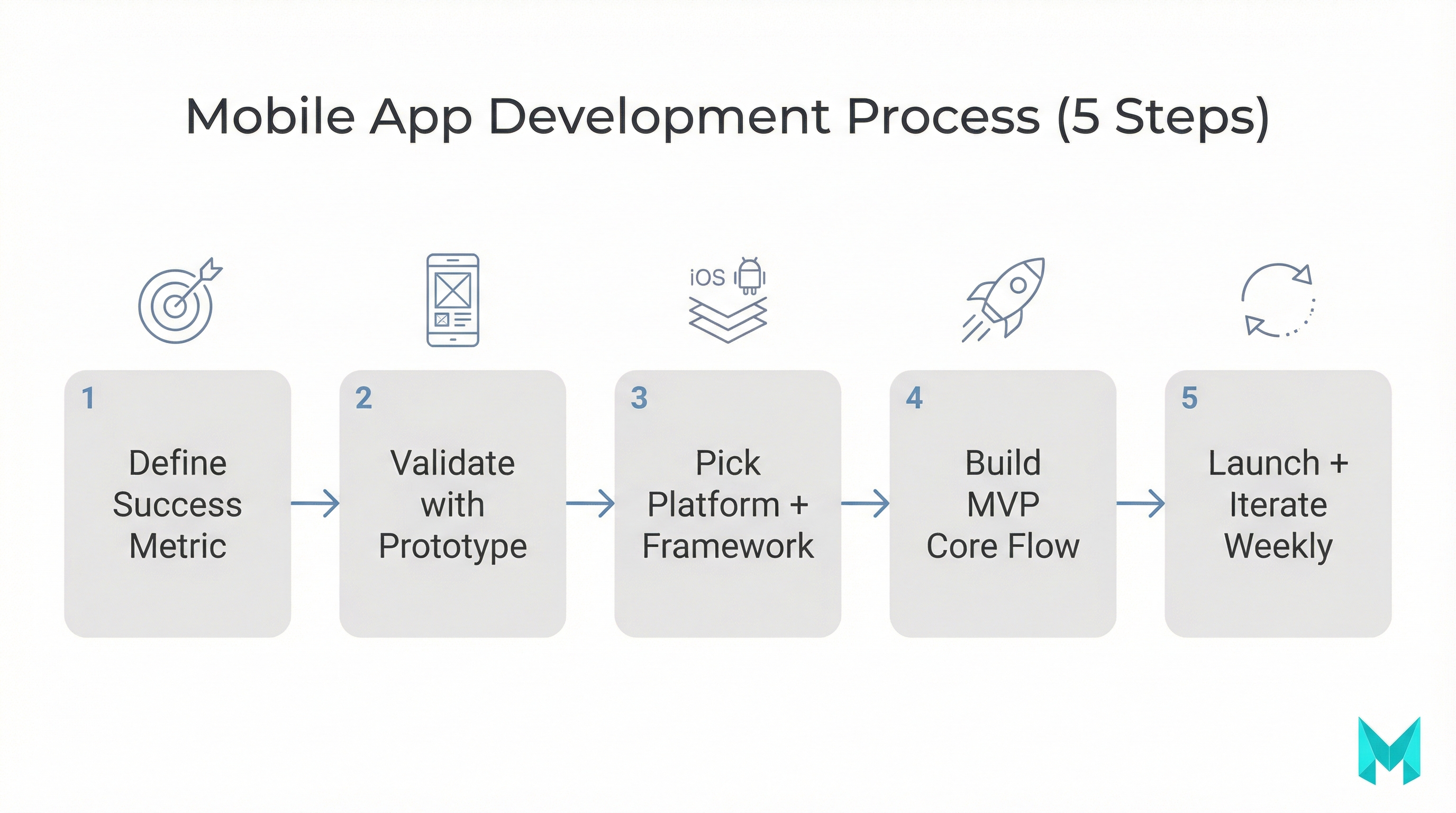
Tip 1: Start with purpose, users, and a measurable success goal
A “cool app idea” becomes a product when you can answer three questions:
- Who is the user? 2) What painful job are they trying to do? 3) How will you know you solved it?
Deliverables to create:
- A 1-page Problem Statement + Value Proposition
- A simple PRD (features, constraints, assumptions)
- A “success metric” definition (e.g., 40% of new users complete onboarding and perform the core action within 24 hours)
What to measure early:
- Activation rate
- Time-to-first-value (TTFV)
- Support tickets per 100 users (a proxy for usability)
Tip 2: Validate the idea with lightweight research (before you build)
You don’t need months of research, but you do need enough signal to avoid building blind.
- 5-10 user interviews with people who match your target segment
- A clickable prototype test (Figma) to validate the core flow
- Landing page + waitlist + basic pricing test
- Competitor teardown (features, reviews, gaps, pricing)
Deliverable:
- A short Validation Report: what users want, what they reject, what they pay for, and the top 3 risks.
Tip 3: Choose the right platform and mobile app development frameworks early
Platform decisions drive cost, timeline, hiring, and long-term maintenance. Your choice should follow the product constraints (performance, offline needs, integrations, budget, and roadmap).
Common options:
- Native (Swift/Kotlin): best performance and platform-first UX, higher cost for two codebases.
- Cross-platform frameworks (React Native/Flutter): one team, faster iteration, great for many business apps. See cross-platform app development frameworks.
- PWA: fastest to deploy and update, but limited access to device capabilities depending on use case.
Decision Tip
Document your choice in a short Architecture & Platform Decision Doc so future hires don’t relitigate it.
Native vs cross-platform vs PWA: quick decision guide
| If you need… | Best fit | Why |
|---|---|---|
| High-performance graphics, complex animations, deep device features | Native | Maximum control and performance |
| Faster time-to-market with solid UX and shared code | Cross-platform | Balanced speed + capability |
| A lightweight app-like experience with web deployment | PWA | Lowest friction for updates and distribution |
Deliverable:
- Architecture & Platform Decision Doc (what you chose and why)
Tip 4: Design UX/UI for retention (not just “looks”)
Many apps lose users because they feel confusing, slow, or “busy.” Good UX reduces support costs and increases conversion.
- Make the primary action obvious on every key screen
- Reduce onboarding to only what’s needed for first value
- Use progressive disclosure (don’t show everything at once)
- Design for one-handed use and accessibility where possible
Deliverables:
- User journey map (happy path + fail states)
- Clickable prototype for the core flow
- Design system basics: typography, spacing, buttons, input states
Authoritative guidelines:
- Apple Human Interface Guidelines: https://developer.apple.com/design/human-interface-guidelines/
- Material Design (Android): https://m3.material.io/
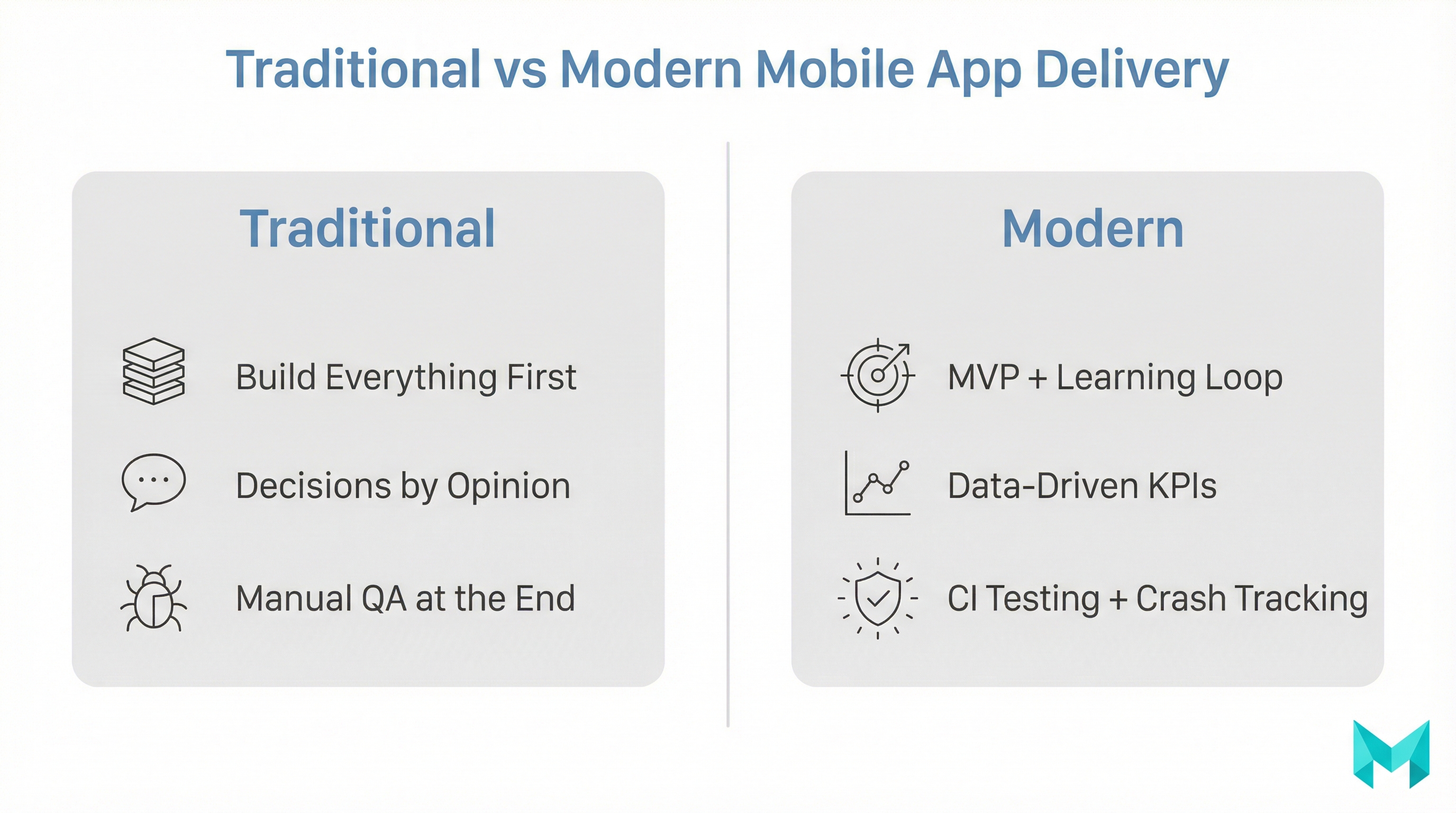
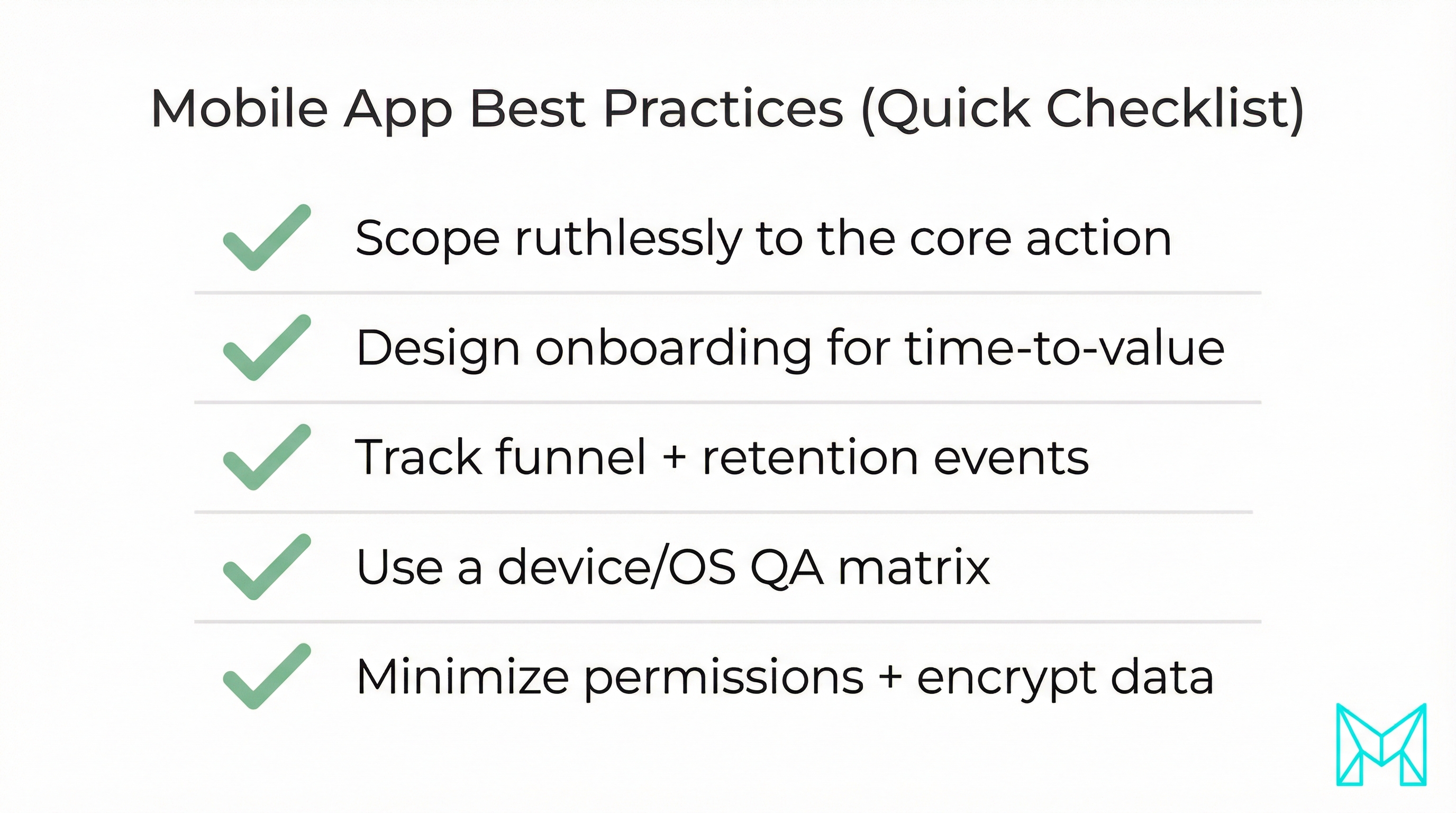
Tip 5: Build an MVP around the core flow (and cut everything else)
Ship the smallest version that proves the core value. MVP is not “cheap app” it’s a learning machine.
MVP scoping questions:
- What’s the one action that creates value?
- What can we do manually behind the scenes for v1?
- What can wait until we see retention?
Deliverables:
- MVP feature list (must-have / should-have / later)
- Release plan (v1, v1.1, v2)
- Backlog with acceptance criteria
If you’re building an MVP and want a team that can handle product + engineering end-to-end: MVP development services.
Pro tip
Adopt a weekly release train. Smaller, predictable releases reduce risk and make it easier to track what moved your KPIs.
Tip 6: Instrument analytics + a retention loop from day one
Turn feedback into a repeatable loop with analytics that tell you where users drop.
- Activation event (core action completed)
- Funnel steps (onboarding -> permission -> first value)
- Retention (D1/D7/D30 depending on product cycle)
- Crash-free sessions, API error rate, app start time
Deliverables:
- Analytics spec (events, properties, naming)
- Dashboard for weekly product review
- Experiment log (what changed, why, and outcome)
Tip 7: Test like a product company (QA matrix + crash-free KPI)
Testing isn’t a phase it’s a system.
- Unit tests for critical logic
- Integration tests for APIs and data flows
- UI tests for the core journey
- Device + OS coverage (your real audience)
Deliverables:
- QA matrix (devices, OS versions, test cases)
- Release checklist (permissions, push, deep links, offline, performance)
- A target: 99.5%+ crash-free sessions (adjust for stage and user base)
For Android-specific best practices, the official docs are a strong baseline: https://developer.android.com/get-started/overview
Tip 8: Ship securely, privacy, permissions, and OWASP basics
Security is often ignored until a breach, a bad review, or an app store rejection. Even a small app handles sensitive data.
- Use proven auth (OAuth/OpenID Connect when appropriate)
- Encrypt sensitive data at rest and in transit (TLS)
- Don’t over-request permissions (ask when needed)
- Protect APIs (rate limiting, input validation, logging)
- Plan incident response (what happens if tokens leak?)
Deliverable:
- A short “Mobile Security Checklist” aligned to OWASP guidance (start with OWASP MASVS): https://mas.owasp.org/
Review third-party SDKs for permissions, data sharing, and update cadence. Many privacy incidents come from embedded SDKs, not your code.
Tip 9: Plan launch + iteration (ASO, feedback, roadmap)
Launch is a beginning, not a finish. Plan the next 30-90 days.
- App Store Optimization (title, keywords, screenshots, video)
- Beta channel (TestFlight/internal testing) and staged rollout
- In-app feedback + review prompts at the right moment
- A simple roadmap that responds to retention + reviews
Deliverables:
- Store listing assets pack
- Rollout plan (by region or % of users)
- Weekly triage: reviews, crashes, support, funnel
Tools & resources (quick list)
- Design: Figma, FigJam
- Project delivery: Jira/Linear, Notion
- Analytics: Firebase Analytics, Amplitude, Mixpanel
- Crash reporting: Firebase Crashlytics, Sentry
- CI/CD: GitHub Actions, Bitrise, Fastlane
- Testing: BrowserStack (for web/PWA), device labs, TestFlight
If you’re evaluating platforms and toolchains for 2026-ready delivery, this helps: best mobile app development platforms.
Frequently Asked Questions (FAQs)
Start with a validated problem, scope an MVP, choose the right platform (native or cross-platform), and ship in small iterations with analytics and testing. This reduces rework and helps you learn from real user behavior quickly.
How Musketeers Tech Can Help
At Musketeers Tech, we help teams turn app ideas into reliable products without the late-stage surprise costs that come from unclear requirements, rushed UX, or missing analytics and QA systems. Our approach aligns with the tips above: start with a clear product strategy, scope a practical MVP, choose the right architecture, and ship with measurable outcomes.
We’ve delivered product experiences across industries, including solutions like DoctorDost (appointments + operations) and SmartBudget (financial management) projects where UX clarity, stability, and iteration loops directly impact adoption.
Bespoke Applications
Custom-built apps aligned to your goals, stack, and roadmap.
Final Thoughts
Most app failures aren’t caused by “bad code” —they come from skipping fundamentals: unclear goals, weak validation, platform indecision, UX that doesn’t retain, and launching without analytics and security basics. The good news is that these are solvable with a repeatable process.
Use these mobile app development tips as a checklist: define success, validate early, pick the right platform, design for retention, ship an MVP, measure behavior, test thoroughly, secure your data, and plan iteration after launch. If you do that consistently, your app has a much better chance of becoming a product users rely on—not just another download.
Need help with mobile app development? Check out our app development services or explore our recent projects.
- mobile-app-development
- app-development-tips
- mvp-development
- ui-ux-design
- mobile-app-testing
